Back to Maintenance Manager for Manufacturing Main Menu
Deleting a Preventive Maintenance Schedule
The Delete Preventive Maintenance feature allows Administrators to remove a preventive maintenance schedule and stop future work order generation.
To Delete a Preventive Maintenance:
-
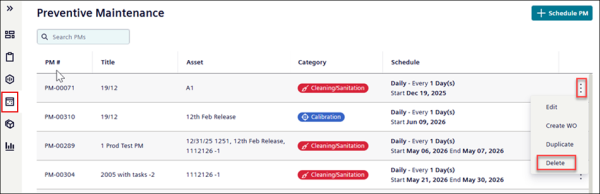
Navigate to the
 (Preventive Maintenance) page.
 -
Search or hover over a preventive maintenance schedule in the preventive maintenance list.
-
In the preventive maintenance schedule row, click the
 icon.
icon. -
Click Delete.
-
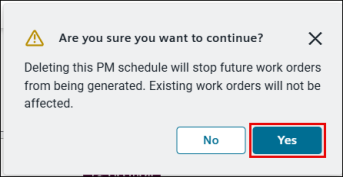
In the confirmation message, click Yes to delete a work order.